


Powerful automation in Security Center 5.14
Security Center 5.14 delivers important updates focused on automation and performance. Streamlined installation and configuration make Security Center easier to scale and maintain. This helps you upgrade and expand your system with confidence, all while reducing infrastructure management overhead.
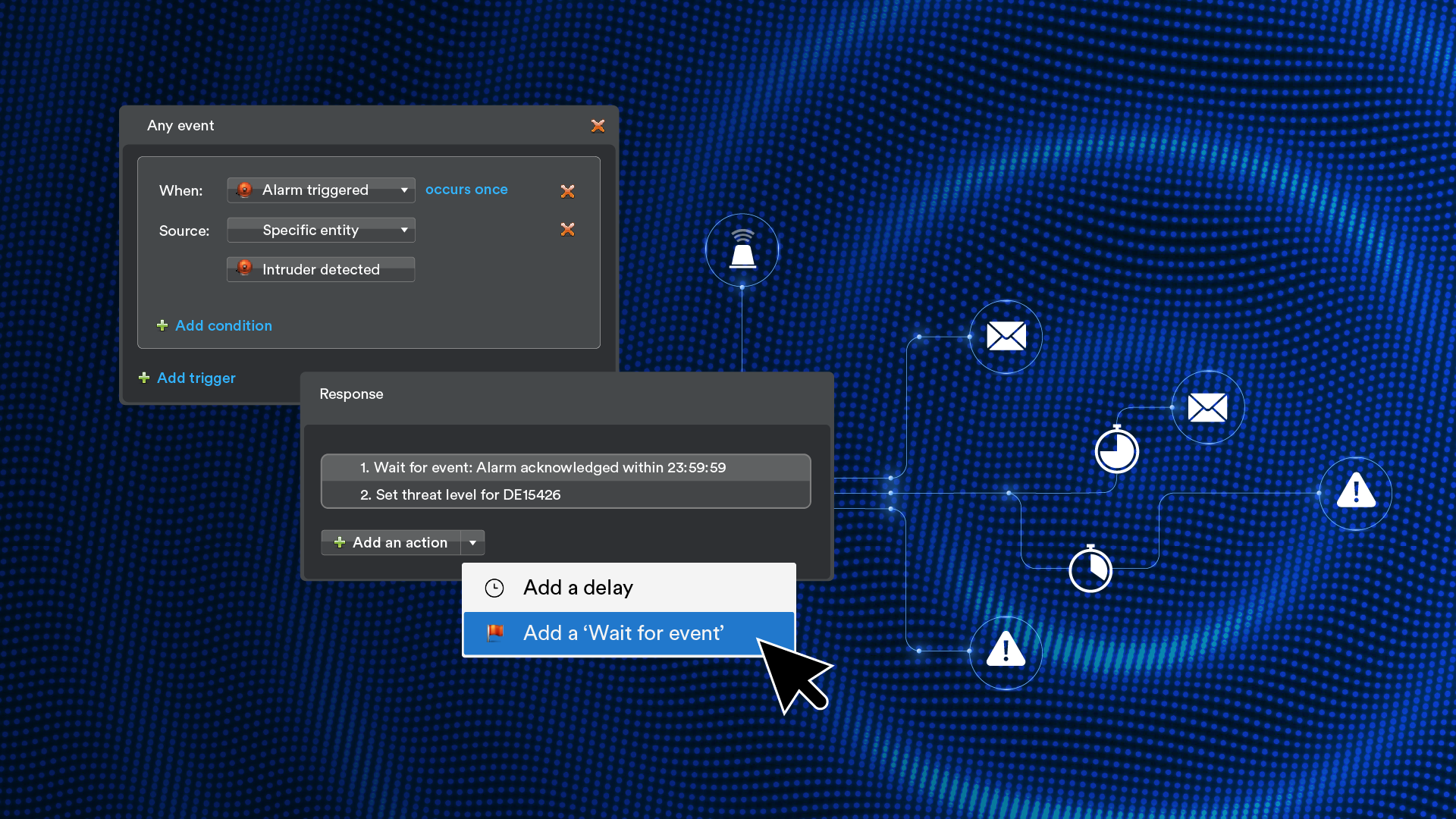
Stagger actions for more purposeful automation
We’re continuing to expand automation capabilities in Security Center. Purposeful automation helps your teams respond more efficiently and precisely.
The new wait for event automation lets actions progress only when specific conditions are met within a defined timeframe. That means alerts and notifications are sent when they truly matter. For example, when an intrusion alarm is triggered, you can ensure that alarm details are sent by email only if operators acknowledge the alarm within a given timeframe.
Enhanced video performance and scalability
Security Desk upgraded
Security Desk now runs natively on 64-bit architecture, delivering faster video decoding, encoding, and dewarping.
Enhanced Media Gateway
The Media Gateway also runs on a fully optimized 64-bit architecture. That means faster video decoding and conversion for Security Desk and the Genetec™ Web App.
Additional support for printing modern and secure credentials
Many organizations are adopting modern, cybersecure credentials like MIFARE DESFire. Security Center 5.14 supports the Evolis Primacy 2 printer (SSCP version), making it easier to comply with MIFARE DESFire by speeding up secure card issuance.
More capabilities
Here are some other updates coming with Security Center 5.14:
Automation
 |
Report Manager now running on 64-bit architecture, so you can trigger multiple automated tasks at once |
|
Threat level configuration now found in the Automation task, alongside other automation activities |
|
Ability to add text overlays, images, and polygons to visual tracking |
Access
|
Custom privilege templates tailored to your organization’s specific needs |
|
More granular user privileges for better control of threat level activation |
|
Option to email cardholders, users, or external recipients directly from Security Center reports |
ALPR
|
Korean license plate reads supported for search and hotlist matching |
|
Windows Communication Foundation connection types from Sharp LPR cameras no longer supported |
|
“Generated a hit” checkmark shown in the read report for users with permissions to see the associated hotlist |
Monitoring
|
Inputs and their status displayed within their virtual zones in monitoring tiles and maps for better visibility |
|
IIoT device monitoring and custom entity monitoring in the hardware status widget |
Storage
|
Automatic configuration of recording file size when enabling Cloud Storage |
|
Zone Manager retention period increased to 9,999 days |
And more
|
Ability to schedule tasks in local time without converting to UTC or adjusting for daylight savings |
|
Finnish now supported in Security Center and Mission Control |
Important product updates
|
Security Center 5.14 no longer supports the legacy Security Center Web Client. The Genetec Web App replaces the Web Client. |
|
Security Center 5.14 provides advance in-product notice of the upcoming native HID controller integration deprecation. |
Ready to upgrade?
Switch to version 5.14 now to take advantage of all the new functionalities—and get support for flexible, hybrid deployment options.
We want to remind you that Security Center 5.10 will reach end of life in December 2027. If you’re currently running Security Center 5.10 or earlier, please reach out to your Accredited Genetec Channel Partner for more information and to schedule your upgrade.
